
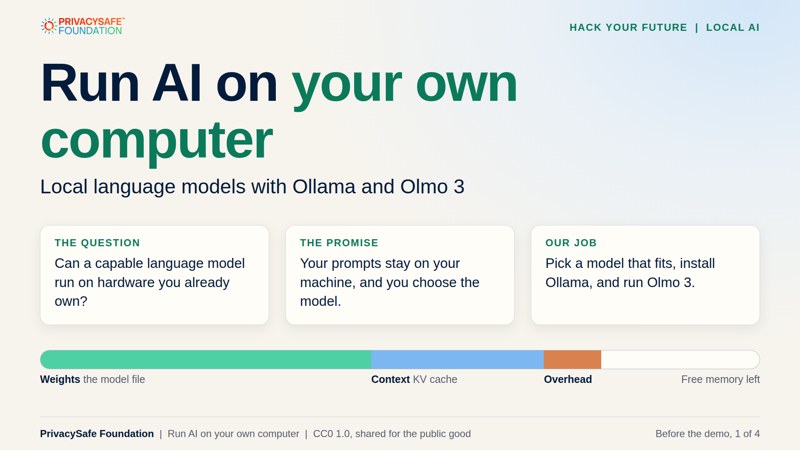
Run AI on your own computer.
A Hack Your Future lesson: build what’s next. Install Ollama, choose a local model that fits your hardware, and run it on your own computer.
The whole lesson in under five minutes. Captions are on the picture and music is built in. Press the speaker button for sound. Also available: the dark version for projecting and subtitle files for the light and dark videos.
The whole tutorial in three commands
# 1. Install Ollama (macOS and Windows: download from ollama.com/download)
curl -fsSL https://ollama.com/install.sh | sh

# 2. Run Olmo 3, a fully open model from Ai2 (about a 4.5 GB download)
ollama run olmo-3:7b-instruct

# 3. Check whether it is running on your GPU or your CPU
ollama ps
Your prompts stay on your machine. To be sure, turn off Ollama’s optional cloud features with OLLAMA_NO_CLOUD=1. The first command is for Linux.
Welcome. Let’s run an AI model on your own hardware.
Most people use AI through a website, which means every question travels to someone else’s servers. In this lesson we flip that around. You’ll learn what a local model is, how to tell whether your computer can run one, and how to install Ollama and run Olmo 3, a fully open model from Ai2, step by step.
You can watch the under-five-minute walkthrough, follow the slides, play with the planner, or jump straight to the commands. The examples use Olmo 3, but the method works for any model family, so it will still make sense when newer models arrive.
Make a prediction. Before the demo you’ll be asked: can a laptop with 16 GB of memory run Olmo 3 32B Think? What about 7B Instruct? Write your answers down. We’ll check them together in the planner.
Follow the session in order.
Learn the ideas, test them in the planner, then install Ollama and run the model.
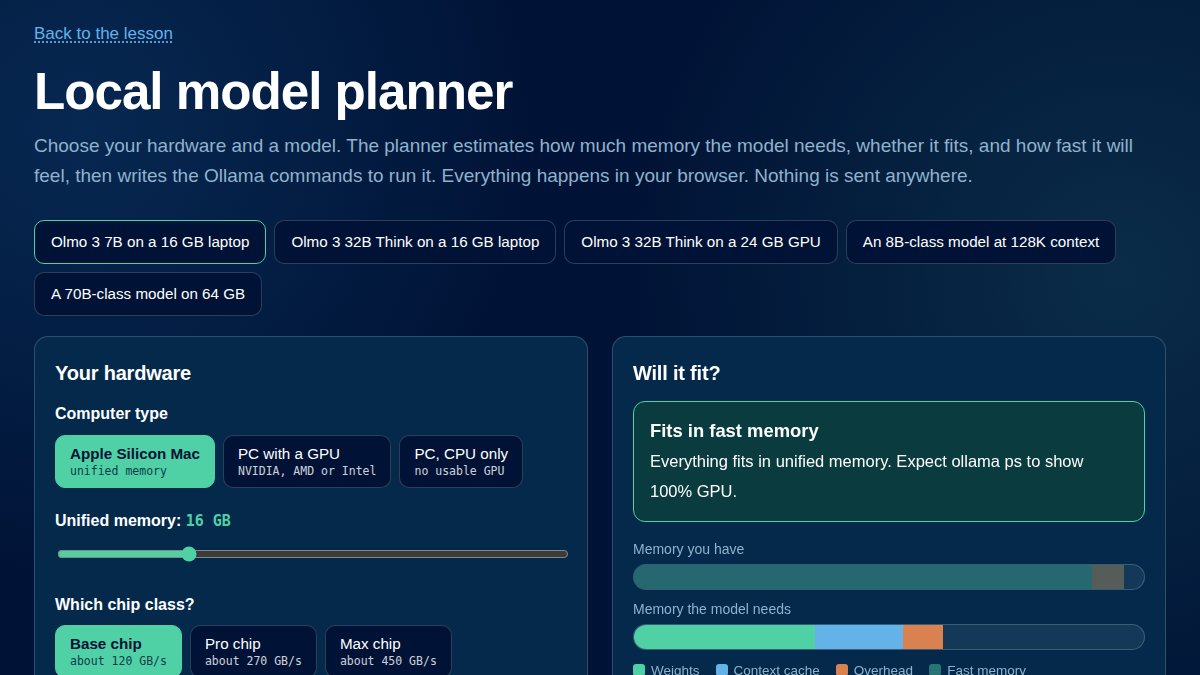
2. The model planner
Runs in your browser Pick your hardware and a model, see whether it fits and how fast it will feel, and copy the Ollama commands for that setup. Open the planner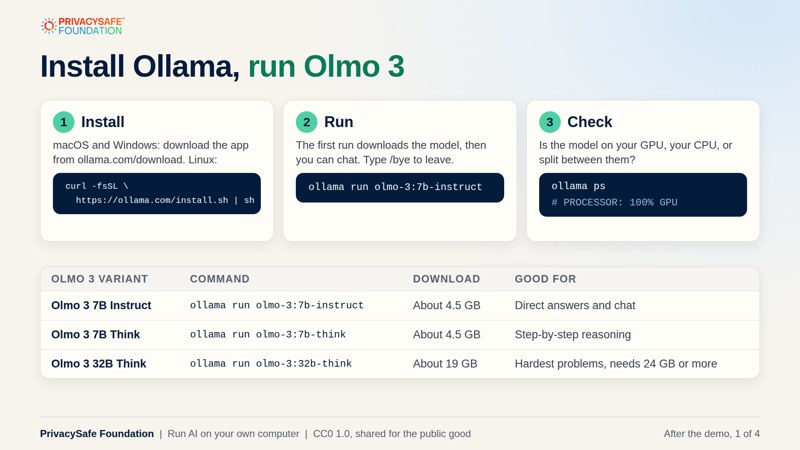
3. After the demo
PDF, 4 slides Install Ollama, run Olmo 3, use it from code, and compare hardware, runtimes and model families. A checklist works for any model. Open the slides (light)What you will learn.
Olmo 3 comes from Ai2, which releases the weights, the training data and the code. That makes it a good first model to learn with.
Why run locally
Keep your prompts on your own machine, work offline, and choose the model yourself. Plus the honest trade-offs.
Fit a model to your hardware
Parameters, quantization and context: the memory math that tells you what will run before you download anything.
Run and use Olmo 3
Install Ollama, run Instruct and Think models, call them from code, and read ollama ps.